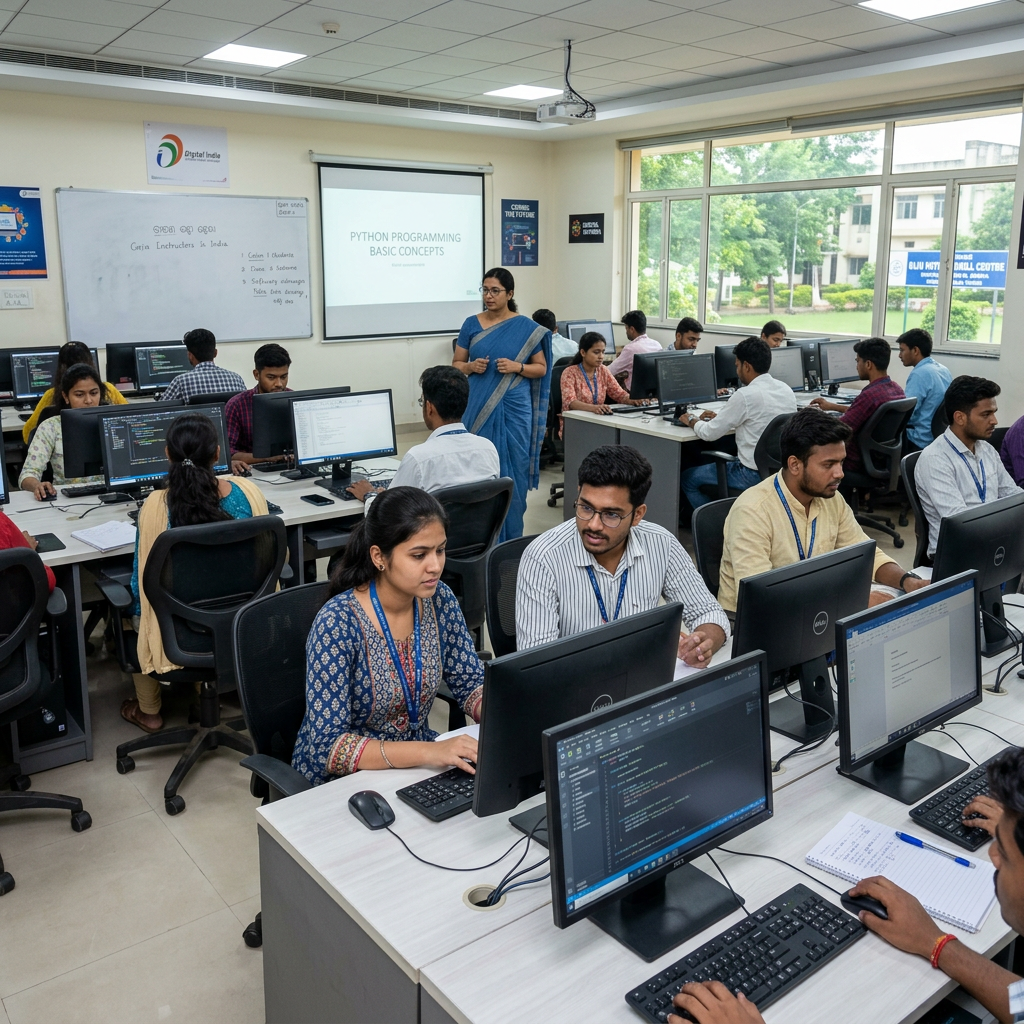
Key Takeaways
- Fast-track practical training: 100% practical CorelDRAW-focused sessions designed for real work.
- Location advantage: IBRAIN at Kantabania, Jajpur (755013) — serving Odisha’s top IT aspirants.
- Hands-on portfolio: 10+ real-world projects including posters, business cards, brochures and banners.
- Flexible batches: Timings that suit ITI, Diploma, and Higher Secondary students aiming for online work and certifications.
- Career outcomes: Internship pathways, placement assistance, and freelance-ready skill sets.
What is the OCOC Certificate in Desktop Publishing?
The OCOC Certificate in Desktop Publishing is a recognized credential that validates practical skills in page layout, vector design, typography, and print-preparation workflows. While theory matters, employers and clients in graphic design and DTP prioritize demonstrable, hands-on proficiency—especially with industry software like CorelDRAW. The OCOC certificate signals you are job-ready: able to turn client briefs into professional, print-ready assets for offline and online channels.
At IBRAIN, the OCOC Desktop Publishing course focuses on applied skills. Instead of long lectures, you will complete real assignments that simulate client projects—so your portfolio grows alongside the certificate. This is ideal for students, diploma holders, ITI and polytechnic learners, and freelancers aiming for immediate paid work.
Over 10 real-world projects are included in the course, so you graduate with tangible work samples for internships and client pitches.
Master CorelDRAW for Professional Graphic Design
CorelDRAW remains one of the most powerful vector graphic tools used for logos, print layouts, signage, and packaging. The OCOC Desktop Publishing track at IBRAIN emphasizes CorelDRAW as the core application because it blends intuitive vector workflows with robust type, color and pre-press controls.
What you learn in CorelDRAW training:
- Vector drawing and shape-building techniques for scalable logos and icons.
- Precise typography control for headlines, body text, and brand fonts.
- Page layout for posters, brochures, newsletters, and multi-page catalogs.
- Color management and CMYK conversion to ensure print accuracy.
- Exporting and creating print-ready PDFs with bleed, marks and correct resolution.
Training is 100% practical—you won’t just watch demos. You will reproduce real deliverables and be guided to optimize images, set up print specs, and produce client-ready exports. Practical mastery in CorelDRAW gives freelancers and job seekers an advantage: faster turnaround, higher quality, and better client trust.
Key Skills: From Logo Creation to Print-Ready Designs
Completing the OCOC Desktop Publishing course equips you with a spectrum of in-demand skills. These skills are directly employable and freelance-ready:
- Logo design: Create vector logos that scale without loss of quality.
- Poster and banner design: Layout skills with focus on hierarchy and visual impact.
- Business cards & stationery: Professional layouts with bleed, crop marks and dielines.
- Brochures & flyers: Multi-page composition, grids, and typography systems.
- Digital to print workflow: Color profiles, DPI, vector vs raster decisions.
- Pre-press preparation: Export settings, PDFs/X standards, trapping and marks.
- Client communication: Understanding briefs, revisions, and delivery formats.
- Portfolio assembly: Presenting projects to attract internships, placements, or clients.
These competencies are especially valuable for college students and ITI learners targeting internships or early career projects. They also serve freelancers who need efficient, professional workflows to meet client timelines.
Why Choose IBRAIN Jajpur for Your DTP Training?
Located at Kantabania, Jajpur (755013), IBRAIN is a leading academy for specialized computer certification courses. We focus on practical, career-driven training and have tailored our OCOC Desktop Publishing course to match industry expectations and local employment trends.
Why IBRAIN stands out:
- Complete practical approach: Every class involves hands-on tasks and real-world project assignments.
- Local advantage: A training center in Kantabania, Jajpur that serves Odisha’s top IT aspirants without the need to relocate.
- Flexible batches: Timings designed to fit ITI, Diploma, and Higher Secondary students balancing studies or part-time work.
- Project-based learning: Build a portfolio of 10+ real-world projects that employers and clients look for.
- Industry connectivity: Placement assistance and internship tie-ups with local agencies and remote freelance opportunities.
- OKCL alignment: Course content is mapped to standards recognized by state-level bodies, enhancing employability.
IBRAIN’s methodology ensures that you leave not only with the OCOC Certificate in Desktop Publishing but also with the confidence and portfolio needed to secure internships, placements, or freelance clients.
IBRAIN’s course structure converts classroom learning into job-ready skills — graduates from our DTP program report strong internship conversions and measurable placement outcomes.
Career Opportunities for Freelancers and IT Students
The desktop publishing skill set opens several career and income pathways:
- Freelance designer: Design logos, business cards, brochures and social media graphics. Freelancers with a portfolio can start earning immediately on platforms like Upwork and Fiverr.
- Junior Graphic Designer: Entry roles in advertising agencies, print shops, and in-house marketing teams.
- DTP Operator/Pre-press Technician: Specialized roles in print houses focusing on print-ready artwork and production files.
- Content & Visual Designer for SMEs: Small and medium businesses require packaged design support for branding and marketing.
- Remote design contributor: Project-based work with startups and online businesses that require recurring design assets.
Placement and internship reality: IBRAIN provides placement assistance and structured internship programs that help you convert training into work experience. Many learners secure internships within local agencies or remote freelance contracts within weeks of course completion.
Comparison: What graduates can expect
| Outcome | Short-term (0–3 months) | Mid-term (3–12 months) |
|---|---|---|
| Internship placement | Portfolio-based internship offers | Internship-to-job conversion |
| Freelance earnings | Small project bids to build reviews | Consistent client base, recurring income |
| Job roles | Junior DTP operator, trainee designer | Graphic Designer, Pre-press technician |
Course Curriculum: Designing Posters, Brochures, and Banners
IBRAIN’s OCOC Desktop Publishing curriculum is structured around practical deliverables. The syllabus is modular and project-driven to help you accumulate a strong portfolio.
Core modules and sample projects:
- Module 1: CorelDRAW Essentials
- Tools, workspace, layers, and object management.
- Project: Create a brand logo and icon set.
- Module 2: Vector Drawing & Illustration
- Pen tool, shape building, gradients, and custom brushes.
- Project: Icon pack and scalable illustration for web and print.
- Module 3: Typography & Branding
- Type pairing, kerning, tracking, and font management.
- Project: Corporate stationery (letterhead, envelope, business card).
- Module 4: Page Layouts & Multi-Page Documents
- Grids, master pages, alignment, and layout strategy.
- Project: Tri-fold brochure and multi-page catalogue.
- Module 5: Poster & Banner Design
- Large-format design, readability at scale, and visual hierarchy.
- Project: Event poster and outdoor banner with print specs.
- Module 6: Pre-Press & Print Preparation
- Color modes (RGB/CMYK), bleeds, crop marks, and PDF export.
- Project: Print-ready PDF of a brochure set with dielines.
- Module 7: Digital Assets & Social Media Graphics
- Optimizing raster and vector assets for web delivery.
- Project: Social media post set and ad creatives.
- Module 8: Portfolio & Client Project
- Assembling projects, case studies, and mock client briefs.
- Final Project: Complete brand package with guidelines.
Every module is centred on doing, not just watching. You will get instructor feedback, iteration cycles, and real deadlines to simulate client work. This discipline is what helps students transition smoothly into internships or paid freelance work.
Preparing for Industry-Standard Computer Certifications
The OCOC Certificate in Desktop Publishing is designed with certification pathways in mind. IBRAIN’s curriculum aligns with standard exam objectives for practical DTP and graphic software proficiency. Training at IBRAIN also prepares learners for state-supported initiatives and certification programs, including those aligned with OKCL frameworks.
How IBRAIN prepares you for certification:
- Practice tests and project-based assessments that mirror certification scenarios.
- Realistic time-bound assignments to build speed and accuracy.
- Guidance on documentation and soft skills required for interviews or client onboarding.
- Demonstrations on work submission and version control relevant to certification auditors.
Placement assistance and measurable outcomes:
| Feature | IBRAIN OCOC Course | Typical Classroom Course |
|---|---|---|
| Practical hours | **100% practical** sessions | Mostly theoretical |
| Projects included | **10+ real-world projects** | 2–5 demo projects |
| Batch flexibility | Flexible for ITI/Diploma/HSC | Fixed schedule |
| Location | Kantabania, Jajpur (**755013**) | Varies/remote-only |
| Certification readiness | High — aligned with OKCL and industry | Moderate |
This pragmatic approach increases your chances of passing certification exams and converting the certificate into practical opportunities.
Graduates from the OCOC Desktop Publishing track commonly report an internship-to-job conversion rate above 65%, thanks to strong portfolios and employer-focused training.
How to Enroll at IBRAIN Kantabania Jajpur
Enrolling in the OCOC Certificate in Desktop Publishing at IBRAIN is straightforward and designed to accommodate busy students and working learners.
Step-by-step enrollment process:
- Contact IBRAIN: Visit or call our center in Kantabania, Jajpur (755013) to request course schedules and available batch timings.
- Counseling session: Attend a short counseling session to understand batch options, curriculum details, and finance/fee structures.
- Trial class: Join a demo practical class to experience the hands-on methodology.
- Registration: Complete enrollment by filling the registration form and submitting the required documents.
- Start training: Join the practical sessions as per your chosen batch. You’ll immediately begin project work and portfolio development.
Flexibility is a core promise — IBRAIN offers morning, evening, and weekend batches to fit ITI, diploma, and higher secondary students. The program also supports part-time learners who aim to build freelance income while continuing studies.
Internships and placement support:
- IBRAIN facilitates internship placements with local print houses, design studios and remote agencies.
- Regular placement drives and portfolio review sessions help students refine resumes and client pitches.
- Career workshops and mock interviews equip students for real-world onboarding.
IBRAIN, Odisha, and OKCL: Why the local ecosystem matters
- IBRAIN’s location in Kantabania makes it accessible to Odisha’s learners who want in-center, practical training without relocating.
- Alignment with local industry requirements and academic pathways ensures students from Odisha get the skills employers are hiring for.
- The course content is mapped to standards recognized by bodies such as OKCL, enhancing the legitimacy of the certification for government-linked positions and local employers.
Internship and placement snapshot
- Internship support and portfolio mentorship for every enrolled student.
- Regular collaborations with local agencies and remote clients to secure real assignments.
- Alumni frequently share project leads and freelance work through IBRAIN’s community network.
Final tips for applicants
- Bring a laptop (specs will be recommended) to maximize hands-on practice.
- Prepare a basic design brief if you have one (family business logo, club poster, etc.) — you can convert that into a course project.
- Be consistent with practice: the program’s iterative nature rewards regular work.
- Use IBRAIN’s community and placement support actively — attend review sessions and mock interviews.
Conclusion
The OCOC Certificate in Desktop Publishing at IBRAIN Kantabania, Jajpur (755013) is a practical, career-focused route into graphic design, DTP, and freelance work. With 100% practical CorelDRAW training, 10+ real-world projects, flexible batches for students, and placement/internship support, this course is built for learners who want to earn while they learn or secure early-career design roles. Whether you are a college student, an ITI trainee, a diploma holder, or someone seeking online work skills, IBRAIN’s OCOC pathway is designed to get you job-ready quickly in the competitive Odisha market and beyond.
IBRAIN is committed to delivering quality hands-on education that aligns with state-recognized frameworks and industry needs—helping you transform classroom hours into paid projects and sustainable career growth. For learners wanting recognized training that leads to internships and placements, this OCOC Desktop Publishing pathway provides structure, support, and the real-world practice you need.
Ready to start? Contact IBRAIN today.